







AI voices in 50+ languages
Built on ReadSpeaker deep neural network text to speech, with male and female options per language. No manual setup on multilingual pages.
Add a Listen button to your website and every visitor can hear your content read aloud in 50+ languages, with real-time highlighting. Installed with two sections of HTML, no rebuild on your side.
Accessibility, by design
1 in 6 people live with a significant disability worldwide (WHO, 2022). webReader is text to speech built into your site, so every visitor who prefers to listen, or needs to listen, has a way in, with nothing to install on their side.

Hear what's on the page when reading it isn't an option.

Follow along without losing your place, at your own rhythm.
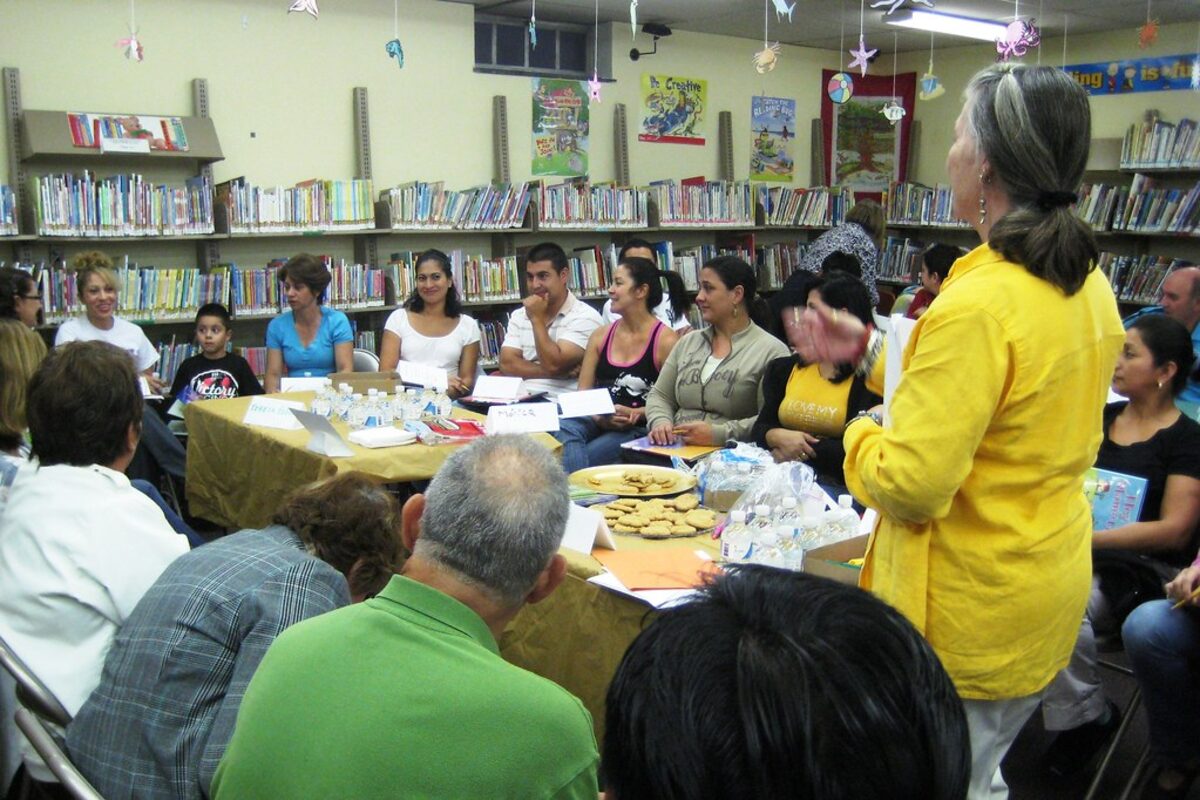
Read at your own pace, even when the site isn't in your language.

Turn an article into a podcast. Listen while commuting, cooking, or working hands-free.
Features
Every reader finds the way that works for them, with no plugins to install and no rebuild on your side.
Text lights up as it's read. Learners, dyslexic readers and non-native speakers follow along without losing their place.
Visitors select any passage, choose a target language, and hear it read back. No extra tools, no page reload.
Generate plain-language summaries and easy-reading views of long articles. Help visitors who need a shorter version, simpler vocabulary, or the main ideas before diving deep.
Built on ReadSpeaker deep neural network text to speech, with male and female options per language. No manual setup on multilingual pages.
Strip the page to essentials with 12 color combinations, 6 font sizes, 5 fonts and adjustable spacing. Or isolate a single line at a time with Page Mask.
Visitors save any article as an audio file and listen offline: commuting, exercising, or when bandwidth is tight.
Slow down complex passages, speed through familiar ones. Switch between licensed voices from the Reading Voice menu.
Any word on the page becomes a lookup. Definitions, examples and spoken pronunciation, great for learners and complex vocabulary.
Independently verified by Proper Access (April 2025). Formal Accessibility Conformance Report (VPAT 2.5, August 2026) available for procurement teams.

The combination of ReadSpeaker and Brightspace enables far more multimodal learning experiences, which can make a huge difference if you don't have the time to sit at a computer and read, or if you're naturally an auditory learner.
Read the full story
Also included
Click anywhere to start reading
Jump into any paragraph and reading begins from that exact point.
Listen button and player
Branded, customizable UI. Fully keyboard accessible end to end.
Selection-based actions
Highlight any text and trigger Listen, Translate or Dictionary instantly.
Enlarged caption
Current sentence shown in extra-large font at the bottom of the screen.
Form readingadd-on
Reads form labels, options and entered text. Optional licensed add-on.
Reader personalization
Speed, highlight colors, font size and player preferences saved per reader.
Keyboard activation
Start reading with Shift+K, close with Escape. No mouse required.
MathML and MathJax
Reads mathematical equations correctly, useful for STEM and education sites.
Iframe reading
Reads content inside same-domain iframes when configured.
LiveCharacters read in the last 24 hours: 5,700,000,000
See it in action
See what your visitors experience. The Listen button, the player, the highlighting, the menu, all running from a single interface.
Pronunciation dictionaries, usage statistics and implementation docs. Your team manages it all from the Customer Portal.
Cloud-hosted by ReadSpeaker with redundant infrastructure, server monitoring every 3 seconds, and automatic daily backups.
How it works
webReader works on any website built with standard HTML, with CMS plugins available for even simpler integration. No software to install, for you or your visitors.
Insert a JavaScript link in your <head> and a short HTML block in your <body>. The ReadSpeaker support team guides you through setup end to end.
Set voice, language, player style and reading area via the JavaScript configuration API. Manage pronunciation, usage analytics and docs from the Customer Portal.
A Listen button appears on the pages you choose. Visitors click and hear your content read aloud, with words and sentences highlighted simultaneously.
<!DOCTYPE html>
<html lang="en">
<head>
  <script async
    src="https://cdn-eu.readspeaker.com/script/
        {customerId}/webReader/webReader.js">
  </script>
</head>
<body>
  <div id="readspeaker_button"
       class="rs_skip rsbtn rs_preserve">
    <a rel="nofollow" class="rsbtn_play"
       href="…/rsent?customerid={customerId}
       &lang=en_us&readid=content">
      <span>Listen</span>
    </a>
  </div>
  <main id="content">…</main>
</body>
</html>
Compliance
webReader is independently audited against WCAG 2.2 AA by Proper Access (April 2025), with a downloadable VPAT and Compliance Statement your procurement team can review.
WCAG 2.2 AA (Web Content Accessibility Guidelines)
A + AA criteria met
EAA-aligned (European Accessibility Act)
WCAG 2.2 AA baseline
ADA-aligned (Americans with Disabilities Act)
Via WCAG 2.2 AA
VPAT 2.5 (Voluntary Product Accessibility Template)
March 2026 edition
EU-based (European Union)
HQ in Europe
ISO/IEC 27001:2022 (International Organization for Standardization / International Electrotechnical Commission)
Information security
The EAA and ADA references indicate that WCAG 2.2 AA is the technical accessibility baseline referenced by those frameworks; they are not standalone certifications. WCAG audit independently verified by Proper Access, April 2025.
Integrations
Dedicated plugins for the platforms your teams already use. Custom integration available for all other HTML-based platforms.
Plugins for simpler implementation are available for many more platforms. Ask the ReadSpeaker team for the current list for your stack, or talk to sales.
Pricing
webReader is licensed annually to organizations that publish content on their websites. No free tier, no consumer plan.
Talk to sales for the model that fits your organization
Enterprise
Custom pricingLicensed annually to your organization
How webReader is installed, what it costs, which languages it speaks, and where it fits in your accessibility programme.
webReader is a cloud-hosted text-to-speech service from ReadSpeaker. It adds a Listen button to your website so visitors can hear page content read aloud in 50+ languages, with real-time word and sentence highlighting. It is delivered as a SaaS application, installs with two sections of HTML code, requires no rebuild, keeps visitor data only in temporary web server logs deleted after 30 days, and is WCAG 2.2 AA compliant, independently evaluated by Proper Access (April 2025). See the four steps in detail further up this page.
Implementation is supported end-to-end by the ReadSpeaker support team. You insert a JavaScript link in your <head> and a short HTML block in your <body>, then choose which pages display the Listen button. Plugins are available for major CMS platforms, ask sales for the current list, and reduce setup to a few clicks.
webReader is WCAG 2.2 AA compliant, independently evaluated by Proper Access (April 2025): read the compliance statement. However, full website compliance requires your site's code and content to also meet WCAG criteria. webReader improves access for visitors with reading barriers, but it is one component of a complete accessibility strategy, not an auto-remediation overlay.
No. webReader is a dedicated reading and listening tool. It does not modify your website's code, does not attempt to auto-remediate accessibility issues, and does not claim to make a non-accessible site compliant. It integrates natively into your page and gives visitors tools to consume content in the way that works for them: listening, highlighting, enlarged text, text mode, or page mask.
webReader works on any HTML-based platform. Plugins are available for major CMS platforms, ask sales for the current list. LMS integrations with dedicated sector pages on readspeaker.com include Moodle, Canvas, Blackboard, Brightspace, Learnosity, itsLearning, Schoology, Open LMS, Open edX and ILIAS. For all other platforms, the ReadSpeaker team handles custom integration.
webReader keeps visitor data only in temporary web server logs, deleted after 30 days, and ReadSpeaker never sells or passes on log information. Reading preferences (speed, voice, highlight color, font size) are stored in an optional cookie on the visitor's device, never sent to ReadSpeaker, and this cookie can be disabled or restricted to session-only by the site owner. Site owners receive aggregate usage statistics in the Customer Portal: pages listened to, languages used, when.
webReader is licensed annually to organizations. Pricing is based on your organization's usage profile, along with the languages and voices you license and the deployment model (cloud-hosted by ReadSpeaker, or JavaScript hosted on your own server). Every license includes implementation support and access to the Customer Portal. Talk to sales for the model that fits.
By default, webReader can read up to 20,000 characters in a single reading, the equivalent of a long article. This limit is configurable per customer when very long-form content needs to be supported. The ReadSpeaker team can advise on the right setting for your content.
Yes. webReader can generate AI-based plain-language summaries and easy-reading views of long articles, helping visitors get the main ideas with shorter and simpler text. This capability is documented in the VPAT 2.5 Accessibility Conformance Report (March 2026 edition).