.pdf · Adobe PDF up to 1.7
Make the documents you publish accessible
docReader adds a Listen button to every PDF, Word and PowerPoint file on your site, read aloud for every reader in 40+ languages.
- WCAG 2.2 AA compliant
- VPAT 2.4 ACR available
Trusted by organizations worldwide








Accessibility
The readers you're leaving out
Without an audio option, your PDFs, slides, reports and forms stay closed to a large share of your visitors. docReader opens them to every reader.

Low vision and blindness
Scanned PDFs become listenable text in seconds, with word-by-word highlighting and reading speed they control. (Source: WHO, World Report on Vision, 2019)

Dyslexia and reading differences
OpenDyslexic font, 12 color combinations, page mask and reading ruler. Listen at their own rhythm. (Source: British Dyslexia Association)

Non-native speakers
Translate any passage with Google Translate or DeepL, then listen in the target-language voice. (Source: W3Techs, Usage of content languages for websites, 2025)

Audio-first audiences
Download any page as an MP3. Listen offline while commuting, walking, on the go. (Source: Edison Research, Infinite Dial 2024 (US))
Formats
Reads what your team publishes
All read aloud from a single integration, with OCR for scanned documents built in. Tagged PDFs are strongly recommended for accessibility; docReader provides best-effort auto-tagging as a fallback.
Word
PowerPoint
Excel
ePub
OpenDocument Text
OpenDocument Presentation
OpenDocument Spreadsheet
Rich Text
Need another format? Talk to us.
Industries
Where silent documents cost the most
Some industries cannot afford an unread document. Wherever a PDF, a form or a report is mandatory, regulated or vital, docReader makes it listenable and accessible to every reader.
Higher Education & K-12
Every document a student depends on, audible.
When reading is part of the assessment, audio is an option, not a barrier. Students access the same content their lecturers reference, in the languages your campus already speaks.
Reads here
- PDFCourse pack
- PPTXLecture slides
- DOCXReading list
- EPUBOpen textbook
Government & public administration
Every public document, audible to every citizen.
Public information only counts when it actually reaches the public, low-vision readers, non-native speakers, every citizen.
Reads here
- PDFCouncil minutes
- DOCXPermit forms
- PDFPublic consultation
- EPUBCitizen guide
Hospitals, payers & pharma
Patient information that actually reaches the patient.
Where comprehension is care, audio in the patient's own language closes the gap between informed consent and a missed instruction.
Reads here
- PDFPatient leaflet
- DOCXDischarge instructions
- PDFConsent form
- PDFDrug label
Banks, asset managers & insurers
Regulated documents, audibly disclosed.
When disclosure is mandatory and the print is small, audio is what makes terms actually heard, for every investor, retail or institutional, without a separate accessible version.
Reads here
- PDFAnnual report
- PDFKID / KIID
- PPTXInvestor deck
- PDFProspectus
Customer story
A school's view on docReader
VHS Learning
Ensuring that our courses are both multimedia-rich and suitable for all learners is something that is central to our mission. ReadSpeaker was a natural fit because it gives all of our students an audio option.
Read the full story
Features
More than text-to-speech
docReader is the full set of reading tools your visitors expect from the apps they already love, applied to your documents.
Word and sentence highlighting
Learners, dyslexic readers and non-native speakers follow along without losing their place.
- Words and sentences highlighted simultaneously as they are read
- 9 highlight color options
- Reading speed, font, font size and highlight color saved across sessions
Translate and listen in supported languages
Visitors select any passage, choose a target language, and hear it read back.
- Google Translate or DeepL, chosen in the Customer Portal
- Spoken back in the target-language voice
- No extra tools, no page reload
AI voices in 40+ languages
Neural text-to-speech voices in 40+ languages, with male and female options per language. Multilingual documents switch voices automatically when their text is marked up with the correct W3C language tags. No manual setup on your site.
OCR and Image-to-Text for scanned documents
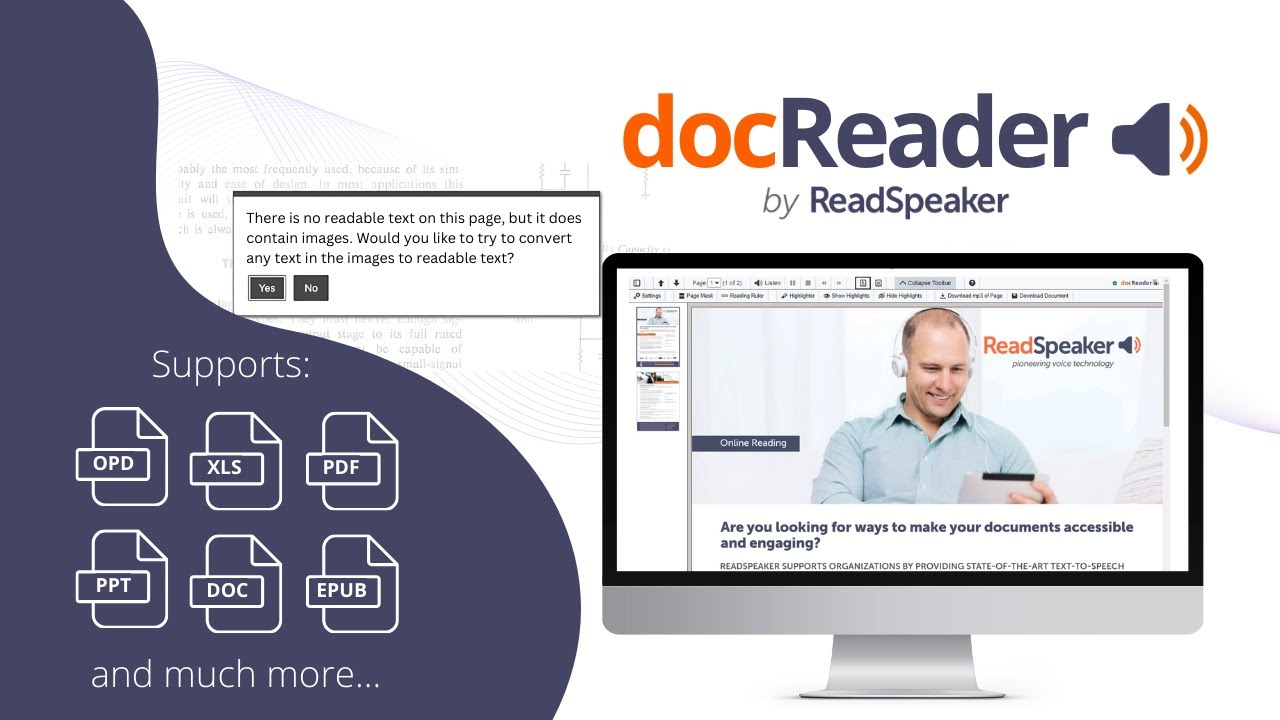
When a PDF is a scanned image, docReader detects it and converts it on the fly. Legacy archives, scanned forms and photographed pages all become listenable.
See how OCR worksLayout mode, Text mode, Page Mask and Reading Ruler
Switch between the original document layout and a reflowable text mode with adjustable font, size, colors and spacing. Use Page Mask to isolate a few lines at a time, or Reading Ruler to follow a single line. Built for dyslexia and visual processing differences.
Download as MP3
Visitors save any page as an audio file and listen offline: commuting, exercising or when bandwidth is tight. Optional feature, disabled by default, enable per customer in the Customer Portal.
Adjustable speed and voice
Slow down complex passages, speed through familiar ones. Five speed settings. Visitor-facing voice selection is optional, disabled by default; site owners can enable it from the Customer Portal.
Annotations and Highlighter with PDF export
Readers highlight key sentences and export a PDF summary. Annotations (notes, shapes, drawings, sticky notes) are available via the docReader JavaScript API. Dictionary lookups built in for supported languages.
9 document formats supported
PDF (up to Adobe 1.7), Word (DOC, DOCX), PowerPoint (PPT, PPTX, PPS), Excel (XLS, XLSX), OpenDocument (ODT, ODP, ODS), Rich Text Format and ePub2. Best-effort auto-tagging for untagged PDFs.
Also included
Every other capability your procurement team will check for
Selection-based actions
On mouse-enabled devices, select any text to trigger Listen, Translate or Dictionary instantly.
Automatic page flip
When a page ends, docReader flips to the next and continues reading.
Branded, customizable UI
Apply your CSS, logo and colors to docReader. Branded UI fully customizable via CSS.
Reader personalization
Reading speed, font, font size, 9 highlight colors and 12 text-mode color combinations saved across sessions.
Keyboard activation
Tab, Shift+Tab, Enter and Space navigate every docReader feature. Fully keyboard accessible, except annotation drawing tools that require pointer input.
Document navigation
Page thumbnails for page-based formats, a table of contents outline when the document has one, plus previous and next page and a page-list dropdown.
One portal, every lever
Pronunciation dictionaries for industry jargon. Translation provider and voice selection for product. Branded UI for marketing. Feature toggles for legal. The Customer Portal puts every lever in your team's hands.
- Pronunciation dictionary — Edit a customer-specific dictionary for each licensed language to control how acronyms, names and technical terms are pronounced.
- Translation and voice settings — Choose Google Translate or DeepL as your translation provider. Enable Reading Voice Selection so visitors can switch between licensed voices in the docReader toolbar.
- Branded UI and feature toggles — Apply your CSS, logo and colors to the docReader interface. Enable or disable specific features (download MP3, print, translate, dictionary, highlighter) per customer.
Cloud-hosted by ReadSpeaker, or on-premise on your own server for organizations with data sovereignty constraints. Redundant infrastructure, monitoring every 3 seconds, automatic daily backups.
How it works
Live in three steps
docReader works alongside the documents you already publish. No file conversion. No upload to a third party. Simple HTML implementation, guided by ReadSpeaker support.
Add a Listen icon next to each document link
Insert one section of HTML code next to each link to a document on your site. If you already use webReader, the docReader icons appear automatically next to all supported document links.
Configure and brand
Choose voices, languages, available features and CSS branding for the docReader interface. Manage pronunciation dictionaries and access documentation from the ReadSpeaker Customer Portal.
Your visitors listen to your documents
A visitor clicks the Listen icon next to a document, docReader opens with the document loaded, and they listen with synchronized highlighting in their preferred language.
Demo
Watch docReader in action
See what your visitors experience when they click Listen next to a document on your site. The viewer, the toolbar, the synchronized highlighting, the OCR, the annotations, all running from a single interface.
Documentation
Compliance, downloadable
docReader satisfies all Level A and AA success criteria of WCAG 2.2, with VPAT 2.4 ACR publicly available. The same documentation supports EAA, ADA Title II and Section 508 conformance assessments by your team.
WCAG 2.2 AA (Web Content Accessibility Guidelines)
Level A and AA criteria met
VPAT 2.4 (Voluntary Product Accessibility Template)
Public ACR available
EAA (European Accessibility Act)
European Accessibility Act
ADA Title II (Americans with Disabilities Act, Title II)
US Apr 2026 (50,000+ population) / Apr 2027 (smaller entities) deadlines
Section 508 (Section 508 of the US Rehabilitation Act)
US federal procurement
ISO/IEC 27001:2022 (International Organization for Standardization / International Electrotechnical Commission)
Information security certified
docReader WCAG 2.2 AA Compliance Statement
docReader VPAT 2.4 Accessibility Conformance Report
docReader Product Specification
docReader Product Sheet
The EAA, ADA Title II and Section 508 references indicate that WCAG 2.2 AA is the technical accessibility baseline those frameworks reference; they are not standalone certifications.
Integrations
Drop into your existing stack
Compatible with the major CMS and LMS platforms your team already runs. Custom integration available for everything else built in HTML. No platform migration required.
Plugins for simpler implementation are available for a number of LMS platforms. Ask the ReadSpeaker team for the current list for your stack.
Content management systems



Learning management systems









Pricing
Enterprise pricing, partnership terms
docReader is licensed annually to organizations that publish documents on their websites. No free tier, no consumer plan.
docReader
Pricing depends on
- Metrics that fit your organization: activations, volume of speech or page views
- Languages licensed for text-to-speech and translation
- Deployment model cloud-hosted by ReadSpeaker, or on-premise on your server
Every license includes
- Implementation support by the ReadSpeaker support team
- Access to the Customer Portal with documentation, FAQ and support
Common questions
Our team helps you scope a deployment that fits your organization's documents, languages and accessibility goals.
docReader is a cloud-hosted document reader from ReadSpeaker. It adds a Listen button next to every document link on your website (PDF, Word, PowerPoint, Excel, ePub, OpenDocument and RTF), so your visitors can hear those documents read aloud in 40+ languages with synchronized word and sentence highlighting. It also offers OCR for scanned documents, translation, annotations and a dyslexia-friendly text mode. docReader is delivered as SaaS, requires no software install for your visitors, and is WCAG 2.2 AA compliant (Compliance Statement, April 2026).
docReader reads nine document formats: PDF (up to Adobe PDF 1.7), Microsoft Word (.doc and .docx), Microsoft PowerPoint (.pps, .ppt and .pptx), Microsoft Excel (.xls and .xlsx), OpenDocument Text (.odt), OpenDocument Presentation (.odp), OpenDocument Spreadsheet (.ods), Rich Text Format (.rtf) and ePub2 (.epub). For scanned PDFs and image-based documents, the built-in OCR feature converts the image content into readable, listenable text.
Yes. docReader includes built-in OCR (Optical Character Recognition) and an Image-to-Text feature. When a scanned PDF or image-based document is opened, docReader detects that no readable text is present and offers to convert it on the fly. The result is a fully accessible, listenable version of the document. This is critical for legacy archives and government records that exist only as scans.
No. docReader is licensed to organizations that publish documents on their websites. ReadSpeaker does not sell consumer accounts or free tiers. To deploy docReader on your own site, contact ReadSpeaker for a quote tailored to your organization's size, languages and deployment model.
docReader satisfies all Level A and AA success criteria of WCAG 2.2. The full WCAG 2.2 AA Compliance Statement and the VPAT 2.4 Accessibility Conformance Report are publicly available. The same documentation supports organizations subject to the European Accessibility Act (EAA), the ADA Title II April 2026 (entities of 50,000 population or more) and April 2027 (smaller entities) deadlines, and Section 508 conformance. docReader is one component of an accessible content strategy, not an auto-remediation overlay.
Yes. docReader is available as a cloud-hosted SaaS by default, but on-premise (customer hosting) is supported for organizations with data sovereignty, regulatory or security constraints. This is common in government, defense, healthcare and finance. Contact ReadSpeaker to discuss the deployment model that fits your environment.
You insert a section of HTML code next to each document link on your site. The code calls the docReader application, passing the public URL of the document. Implementation is typically completed quickly with guidance from the ReadSpeaker support team. If you already use ReadSpeaker webReader, adding docReader requires only one extra reference, after which docReader buttons appear automatically next to all supported document links.
Yes. docReader is fully device-independent and works on iOS (iPhone, iPad), Android, Windows, macOS and Linux through any modern web browser. The interface adapts to touch-screen devices. A few features that require mouse selection (Dictionary, Highlighter, mouse-pointer reading area selection) are not available on touchscreen devices, but Listen, navigation, layout mode, text mode and OCR work on every device.
Yes. docReader includes a Download mp3 of Page button (downloads the audio version of the page content as an mp3 file) and a Save Document button (downloads the original document in its source format). Both can be enabled or disabled per customer through the Customer Portal. By default, Save Document is enabled and mp3 download is disabled.
webReader speech-enables the HTML pages on your website (article body, product pages, blog posts). docReader speech-enables the documents you publish on your site (PDF, Word, PowerPoint, Excel, ePub, OpenDocument, RTF). Many customers run both. If you already use webReader, adding docReader requires only one extra reference to your existing JavaScript link, after which docReader buttons appear automatically next to all supported document links.
By default, docReader can read up to 20,000 characters per session (excluding spaces) in a single reading, the equivalent of a long article or several pages of a PDF. This limit is configurable per customer when very long-form content needs to be supported. The ReadSpeaker team can advise on the right setting for your documents.
Yes. docReader exposes a JavaScript API that lets your developers integrate docReader inside a custom CMS, LMS or web application. The API covers TTS playback, page navigation, settings, highlight markings and annotations. Events can be registered to trigger functions when actions happen in docReader. The JavaScript API is a paid option, contact sales to scope your integration.