Redefining Inclusion: Designing Moodle Courses That Support ALL Learners
In highlights from our recent webinar, experts from ReadSpeaker and Moodle HQ share practical ways to build truly inclusive courses, using UDL principles, thoughtful design decisions, and the right accessibility tools.
In today’s digital learning landscape, accessibility and inclusion are no longer optional, they’re essential. This was the key message behind our recent ReadSpeaker webinar, “Redefining Inclusion: UDL, Neurodiversity & The Curb-Cut Effect – How to Design Moodle Courses That Support ALL Learners.”
Hosted by Hugh McNeela, Sales Account Manager for ReadSpeaker UK & Ireland, and featuring Carli Cockrell, Learning Designer and Accessibility Specialist at Moodle HQ, the session explored how educators and course designers can build Moodle environments that support every learner – regardless of ability or background.
Why Inclusion Matters
As Hugh opened the session, he reminded attendees that inclusive design benefits everyone, not just those with disabilities. Drawing on the curb-cut effect where curb cuts originally created for wheelchair users also benefit parents with strollers, cyclists, and delivery workers he highlighted how accessible learning design “creates better outcomes and smoother experiences for all students.”
Hugh also introduced the Universal Design for Learning (UDL) framework – a proactive approach to course design that anticipates learner diversity.
“By embedding accessibility features from the start, we reduce the need for reactive fixes later and ensure that every learner can access and engage with content equally” – Hugh McNeela, Sales Account Manager, ReadSpeaker UK & Ireland
Carli Cockrell on Designing for Accessibility in Moodle
Guest speaker Carli Cockrell shared her expertise on how to make Moodle courses more inclusive. With over 20 years of experience in education, and four years at Moodle HQ, Carli emphasized the importance of small, consistent design decisions that make a big difference.
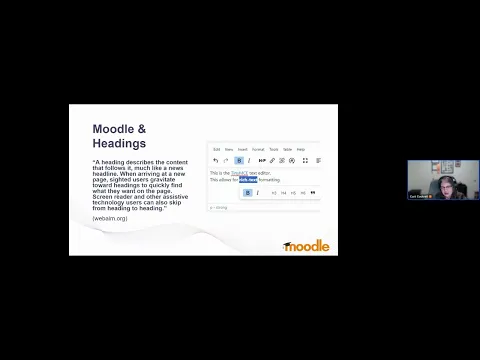
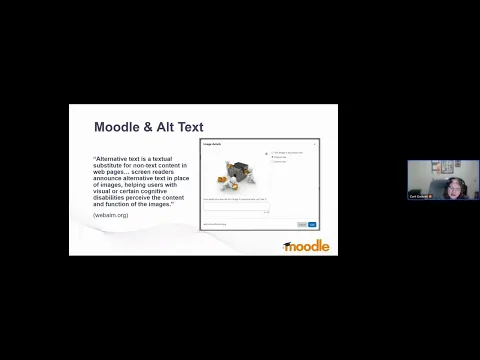
“Ease of use for all site roles is my passion. When we think about accessibility from the beginning – adding alt text, clear headings, and strong color contrast – we’re really thinking about usability for everyone” – Carli Cockrell, Learning Designer and Accessibility Specialist, Moodle HQ
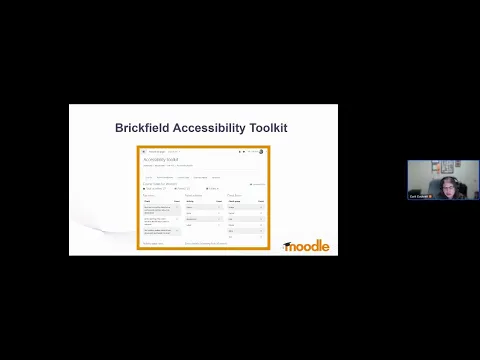
Brickfield Accessibility Toolkit helps educators identify and fix accessibility issues directly within Moodle. By running automated checks across course content, it ensures that learning materials meet accessibility standards and provides actionable insights to improve them.
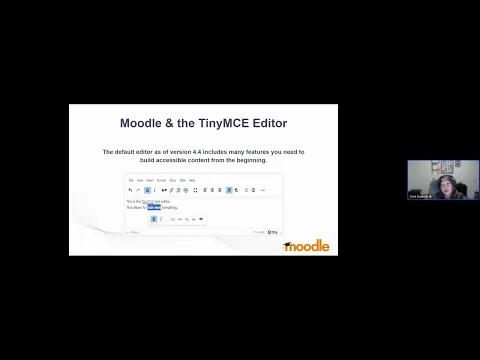
TinyMCE, Moodle’s default text editor, has integrated accessibility checking features that support course creators in building clean, semantic, and accessible HTML content. Carli noted how important it is for educators to understand and use these built-in tools effectively to make inclusive content creation easier and more consistent.
Together with ReadSpeaker’s text-to-speech (TTS) tools, these solutions form a powerful ecosystem – empowering educators to deliver accessible, multimodal learning experiences without needing extensive technical expertise.
Throughout the webinar, both Hugh and Carli emphasized that inclusion doesn’t have to be complicated. Implementing tools like ReadSpeaker’s text-to-speech plugin for Moodle can transform accessibility with minimal effort.
By allowing learners to listen to text-based content in natural-sounding audio, ReadSpeaker supports diverse learning preferences, helping auditory learners, students with visual impairments, and multilingual users better absorb course materials.
As Hugh noted:
“Accessibility isn’t just about compliance – it’s about empathy. When we give learners more ways to access content, we give them more ways to succeed.”
Small Changes, Big Impact
A recurring theme throughout the session was that small, intentional design changes can lead to big improvements in learner engagement and outcomes. From choosing accessible color palettes to using inclusive language, every design decision contributes to a more welcoming learning space.
Carli summarized it perfectly:
“Accessibility is about removing barriers before they appear. When we build with inclusion in mind, everyone benefits.”
Watch the full webinar (opens in a new tab) to explore how ReadSpeaker, Brickfield, and TinyMCE work together to make Moodle courses more inclusive and engaging for every learner.
Discover how ReadSpeaker can help your institution create fully inclusive learning experiences with a FREE demo.
Discover how ReadSpeaker and CBTL support secure corporate learning with accessibility, data sovereignty, on-premise deployment and reliable text-to-speech technology.
Accessibility doesn’t end when a course is published. It continues throughout the learner journey. Discover how ReadSpeaker and Brickfield, as Certified Moodle Integrations, help institutions build accessibility into every stage of learning.